Apple just did the thing it has been teasing since WWDC in June: it threw open the doors. The first public betas of iOS 27, iPadOS 27, macOS 27 Golden Gate, watchOS 27, visionOS 27, and tvOS 27 are now live. For the first time in years, the beta everyone was told to avoid is one that reviewers are quietly recommending. The headline act is Siri AI — a full rebuild of Apple’s assistant that behaves less like a voice remote and more like a chatbot with the keys to your phone. But the story underneath is arguably bigger: iOS 27 is the fastest-feeling iPhone update in years, and the compatibility list is more generous than the doom-posting suggested.
Here’s everything Apple shipped on July 13, what’s actually new, how the public beta stacks up against developer beta 3, and whether your iPhone is on the list.
What Apple Released and When
Apple seeded the public betas roughly ten days after developer beta 3, and the two builds are essentially the same software. The public beta is identical to the third developer beta — which is exactly how Apple normally does it. The first public beta builds are based on the most recent developer beta releases, meaning beta 3, which arrived on July 3 for iOS, tvOS, watchOS, and visionOS.
Two platforms got a small twist. iPadOS 27 and macOS 27 received “version 2” revisions on public beta day, while every other OS 27 beta kept its original beta 3 build number. The macOS 27 beta 3 version 2 build is 26A5378n, up from 26A5368g. Apple’s release notes don’t reference the revision, so it was likely a bug or security fix pushed in before the public rollout.
How to Register for the Apple Public Beta Program
You don’t need a developer account, and you don’t need to pay anything. The Apple Beta Software Program is free, and enrollment takes about two minutes. What you do need is a recent backup, because beta software can include bugs, reduced battery life, and third-party app compatibility problems.
Step 1: Back up your device first
This is the step people skip and regret. Back up your iPhone to iCloud or a computer before you do anything else, and use Time Machine on the Mac. If you decide to bail out and return to iOS 26, an archived pre-beta backup is the only clean way back — a backup made on iOS 27 will not restore onto iOS 26.
Step 2: Enrol your Apple Account
Head to Apple’s public beta website at beta.apple.com and choose Sign Up, or Sign In if you’ve enrolled in a previous year’s program. Use the same Apple Account you use on the devices you plan to test, then accept the program terms. One enrollment covers your entire account, so you only need to do this once, regardless of how many devices you’re updating.
Step 3: Turn on Beta Updates on each device
Enrollment doesn’t automatically push the beta to your hardware. You still opt in per device:
- iPhone / iPad: Settings > General > Software Update > Beta Updates, then select iOS 27 Public Beta or iPadOS 27 Public Beta. Go back to the Software Update screen and tap Update Now when the beta appears.
- Mac: System Settings > General > Software Update, click the info button next to Beta Updates, choose macOS 27 Golden Gate Public Beta, then click Done. The download behaves like any normal macOS update.
- Apple Watch: Enrol through the Watch app on your paired iPhone — watchOS 27 requires an iPhone 11 or later, or iPhone SE (2nd generation or later), already running iOS 27.
- Apple TV, Vision Pro, HomePod: Enable Beta Updates in the Settings app on each device; HomePod Software 27 is configured through the Home app.
Step 4: Know your exit route
If the beta doesn’t work out, you can downgrade back to iOS 26 — but it’s a restore, not a rollback, and it wipes the device. Toggling Beta Updates back to Off simply stops future beta builds from arriving; it does not remove iOS 27. Apple recommends installing beta software on a secondary device, and that advice is doing a lot of work here: if you rely on your primary iPhone for health apps, banking, or two-factor authentication, wait for the free public release in September.
A quick sanity check before you enrol
| Question | If the answer is no… |
|---|---|
| Is this a secondary device? | Reconsider, or accept the risk of daily-driver bugs |
| Do you have a pre-beta backup? | Stop and make one now |
| Is your iPhone 15 Pro or newer? | You’ll get iOS 27, but not Siri AI or most Apple Intelligence features |
| Are you in the EU or China? | Siri AI isn’t available in your region at this stage |
| Do critical work apps have to run flawlessly? | Wait for the September release |
iOS 27 Public Beta vs. Developer Beta 3: What’s Actually Different
| Factor | Developer Beta 3 | Public Beta 1 |
|---|---|---|
| Release date | July 3, 2026 | July 13, 2026 |
| Feature set | Identical | Identical |
| Build (iOS) | Same build carried over | Same build carried over |
| Build (macOS) | 26A5368g | 26A5378n (beta 3 “v2”) |
| Cost/requirement | Free Apple Developer account | Free Apple Beta Software Program enrollment |
| Enrollment path | developer.apple.com | beta.apple.com |
| Risk profile | Earlier, rougher builds | Later-stage, bigger issues generally shaken out |
| Who it’s for | App developers testing compatibility | Enthusiasts and secondary devices |
The short version: if you were expecting the public beta to unlock features the developer track didn’t have, it doesn’t. What you get is the same software with a friendlier front door — the Apple Beta Software Program is free, and you don’t need a developer account.
Which iPhones Support the iOS 27 Public Beta
This is the question everyone asks first, and the answer is refreshingly boring: iOS 27 supports the same iPhone models as last year’s release. If you’re currently running iOS 26, your device will install the new beta. iOS 27 works on iPhone 11 and newer.
Full generation-by-generation compatibility list
| Generation | Supported models |
|---|---|
| iPhone 17 | iPhone 17, iPhone 17 Pro, iPhone 17 Pro Max, iPhone 17e, iPhone Air |
| iPhone 16 | iPhone 16, iPhone 16 Plus, iPhone 16 Pro, iPhone 16 Pro Max, iPhone 16e |
| iPhone 15 | iPhone 15, iPhone 15 Plus, iPhone 15 Pro, iPhone 15 Pro Max |
| iPhone 14 | iPhone 14, iPhone 14 Plus, iPhone 14 Pro, iPhone 14 Pro Max |
| iPhone 13 | iPhone 13, iPhone 13 mini, iPhone 13 Pro, iPhone 13 Pro Max |
| iPhone 12 | iPhone 12, iPhone 12 mini, iPhone 12 Pro, iPhone 12 Pro Max |
| iPhone 11 | iPhone 11, iPhone 11 Pro, iPhone 11 Pro Max |
| iPhone SE | iPhone SE (2nd generation) and later, including SE (3rd generation) |
That’s roughly 28 iPhone models eligible for the Update — but eligibility and feature parity are two very different things this year.
The three-tier feature ladder
| Tier | Requirement | What you get |
|---|---|---|
| Baseline | iPhone 11 and newer | Under-the-hood speed improvements — even older iPhones will feel faster |
| Apple Intelligence | iPhone 15 Pro or newer (plus iPhone 16 series, 16e, iPhone Air) | Siri AI, Writing Tools, Photos AI editing, Passwords auto-fix |
| Advanced on-device | iPhone 17 Pro, iPhone 17 Pro Max, or iPhone Air | Apple’s most demanding on-device models |
So an iPhone 11 owner can install iOS 27 — they just can’t run the headline feature. The majority of new features in iOS 27 require Apple Intelligence and an iPhone 15 Pro or later, but the under-the-hood improvements are available on all iPhones.
There’s a geographic asterisk, too. Siri AI initially supports select English variants and won’t launch in the EU right away, and it isn’t available in China at this time either.
Siri AI: The Feature Apple Bet the Year On
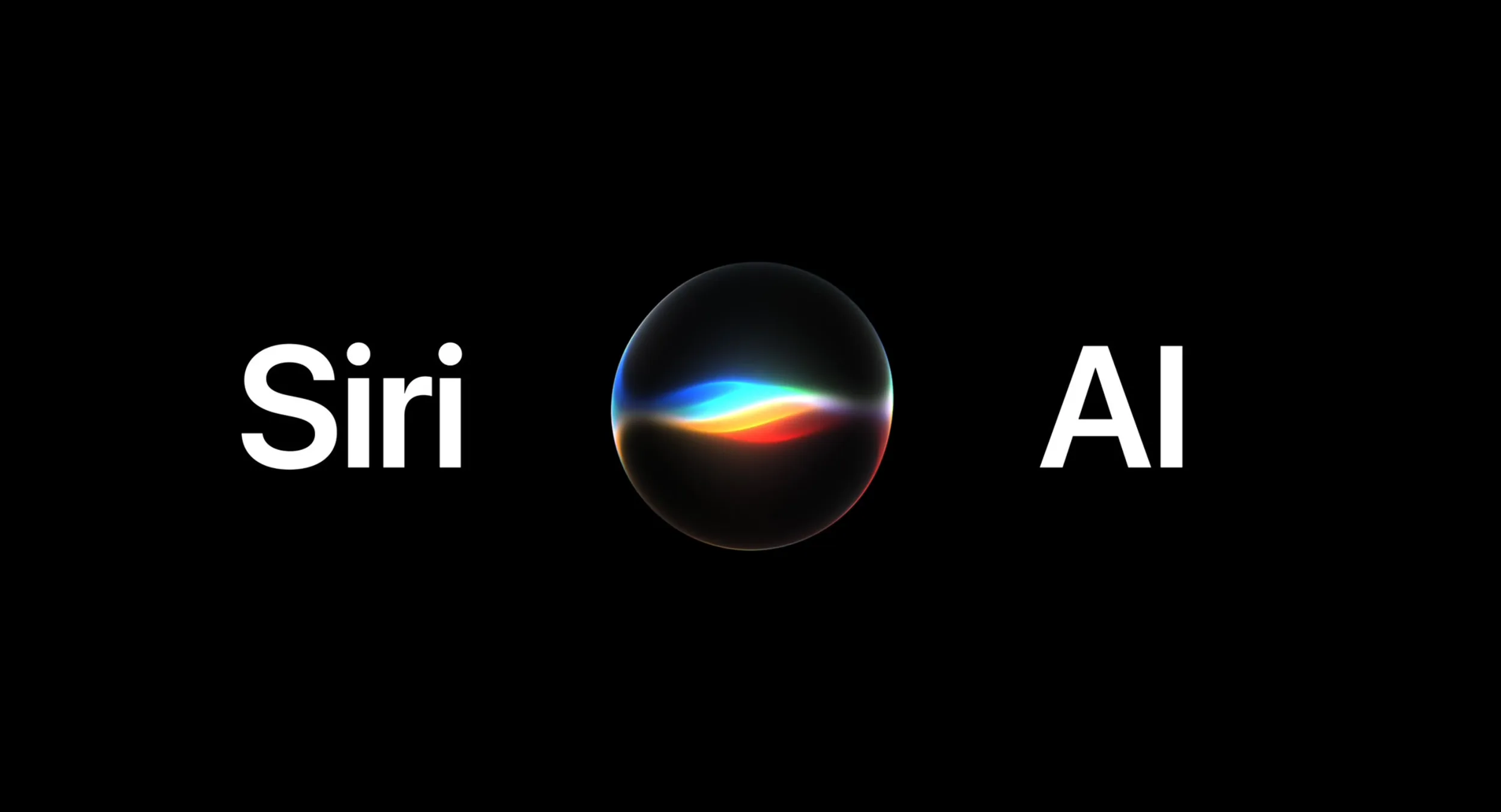
Forget everything the old Siri couldn’t do. Siri in iOS 27 is more similar to Claude or ChatGPT than the prior version, and it includes a dedicated Siri app for back-and-forth conversations. The difference from a third-party chatbot is access: Siri has private access to your messages, emails, photos, apps, and other personal data so that it can complete a wider range of tasks — and it can search the web.
What it can actually do, per Apple’s own examples:
- Create home automations from a plain-language command, such as “lock all the doors at midnight.”
- Find specific emails, messages, photos, links,s and files by person, time, or location.
- Delete files, emails, photos, or messages.
- Add every item from a recipe webpage to a shopping list.
- Look at what’s on your screen and answer questions about it.
- Add birthdays or phone numbers to Contacts on request, and surface passwords stored in the Passwords app.
In iOS 27 beta 3, Siri also gained early access to information from some third-party apps — a small line item with big implications. Apple has also added controls for Siri’s pace and expressivity under Settings > Siri > Voice, which affect spoken output in Maps and Safari too.
The Rest of iOS 27: Speed, Photos, Safari, Passwords
Performance is the sleeper feature
Animations are quicker, apps launch faster, and AirDrop transfers complete faster. You’ll see improvements when taking photos, opening the keyboard, using the App Library, and swapping Home Screen pages. iMessages sync more accurately across devices, failed messages are retried automatically, and the iPhone transitions more smoothly between Wi-Fi and cellular. One outlet clocked up to 30 percent faster app launches; Apple’s broader platform claims even higher
Photos, Safari, Passwords, Shortcuts, AirPods
- Photos: Clean Up now handles larger and more complex distractions, Extend generates content beyond the existing frame, and Spatial Reframing lets you adjust the apparent camera position after the shot.
- Safari: You can create custom extensions with natural-language commands — everything from a citation generator to a focus timer. Safari also organizes tabs by topic and can monitor a page for changes, such as an item coming back in stock.
- Passwords: A new feature uses Safari to change weak or compromised passwords for you automatically. It requires an Apple Intelligence-capable device.
- Shortcuts: Describe what you want, and the app builds a shortcut using AI, which you can then refine in natural language or edit manually.
- AirPods: Custom EQ for mids, highs, and lows on AirPods 4, AirPods Pro 2, AirPods Pro 3, and AirPods Max 2.
- Home: HomeKit Secure Video cameras get 2K and 4K recording, AI text descriptions of what’s happening, and natural-language video search — the AI features require a 2TB iCloud+ plan at launch, though 4K streaming does not.
- Visual Intelligence: Now a dedicated Siri mode in the Camera app that can turn a membership barcode into a Wallet pass or pull an event from a flyer.
macOS 27 Golden Gate: The End of the Intel Mac
The Mac side of this release is historic. macOS Golden Gate is the first version of macOS to run exclusively on Apple silicon and the last version with full Rosetta 2 functionality. It runs on all Macs with an Apple M1 or A18 Pro chip or later — the A18 Pro entry exists because of the new budget MacBook Neo.
| Platform | Hardware requirement |
|---|---|
| macOS 27 Golden Gate | M1 or A18 Pro and later; no Intel Macs |
| On-device Siri AI (Mac) | M3 or later with at least 12GB RAM |
| Dropped models | Mac Pro (2019), MacBook Pro 16-inch (2019), MacBook Pro 13-inch (2020, four TB3 ports), iMac (2020) |
Golden Gate also walks back some of the more divisive Tahoe design calls: window border shapes no longer vary by app, the mouseover glove cursor returns, and menu bar items no longer require icons. In beta 3, Spotlight was removed from the menu bar in favor of Siri AI, and Apple rebuilt the indexing system so new content is indexed almost instantly, with a new ranking system across files, folders, emails, and photos.
watchOS 27, tvOS 27, visionOS 27 and HomePod Software 27
watchOS 27 brings Siri to the wrist. Siri AI can access your personal information, answer questions, and complete tasks, with a dedicated Siri app front and center in a new dynamic app grid that appears when you press the Digital Crown. It requires an iPhone 11 or later, or iPhone SE (2nd generation or later), running iOS 27.
tvOS 27 is the thin one. Siri AI support arrives later and is gated behind the expected fall 2026 Apple TV 4K hardware refresh. What ships now is a redesigned Podcasts app with video playback, Apple Music AutoMix transitions, Hi-Res Lossless audio routing, and the ability to update your Apple TV from the Home app on iPhone. The beta also drops support for two older Apple TV models. HomePod Software 27 is also available for HomePod and HomePod mini. Across the ecosystem, Apple is collectively dropping support for 16 products this cycle.
How to Install the iOS 27 Public Beta
Visit the Apple Beta Software Program website, sign up or sign in with the same Apple Account you use on your iPhone, and accept the program terms. Then open Settings, go to General > Software Update > Beta Updates, and select iOS 27 Public Beta. Return to the Software Update screen and tap Update Now. Back up first, in case you want to downgrade to iOS 26 later. On the Mac, enrol, then open System Settings > General > Software Update, click the info button next to Beta Updates, and choose macOS 27 Golden Gate Public Beta.
Final Verdict: Is the iOS 27 Public Beta Worth Installing?
Here’s the surprise. Beta season usually comes with a chorus of “don’t do it,” and this year the chorus is noticeably quieter. iOS 27 is one of Apple’s most stable betas compared to prior years. 9to5Mac went further, calling it the stablest iOS beta in a very long time, and stable enough to recommend to most iPhone users — with the new Siri being a real reason to try it.
That said, “most stable beta in years” is still a beta. Apple is still refining Siri AI and Apple Intelligence, addressing bugs and tweaking features. Appleinsider and Apple both strongly advise against installing test software on primary or mission-critical hardware.
Our read: if you own an iPhone 15 Pro or newer and have a secondary device, install it — Siri AI is the most consequential thing Apple has shipped in software since Apple Intelligence was announced, and this is the first build where it feels finished enough to judge. If your iPhone is on the compatibility list but below the Apple Intelligence line, the speed gains alone are pleasant, but they’re not worth the risk of bugs when the free, final version lands in September. And if you’re a Mac user on Intel silicon, this release isn’t a decision point — it’s a goodbye.