Sunday, July 19, 2026

Markets

Loading market data…

The Current Tribune

Independent Reporting, Around the Clock

Buying GuideTechnology

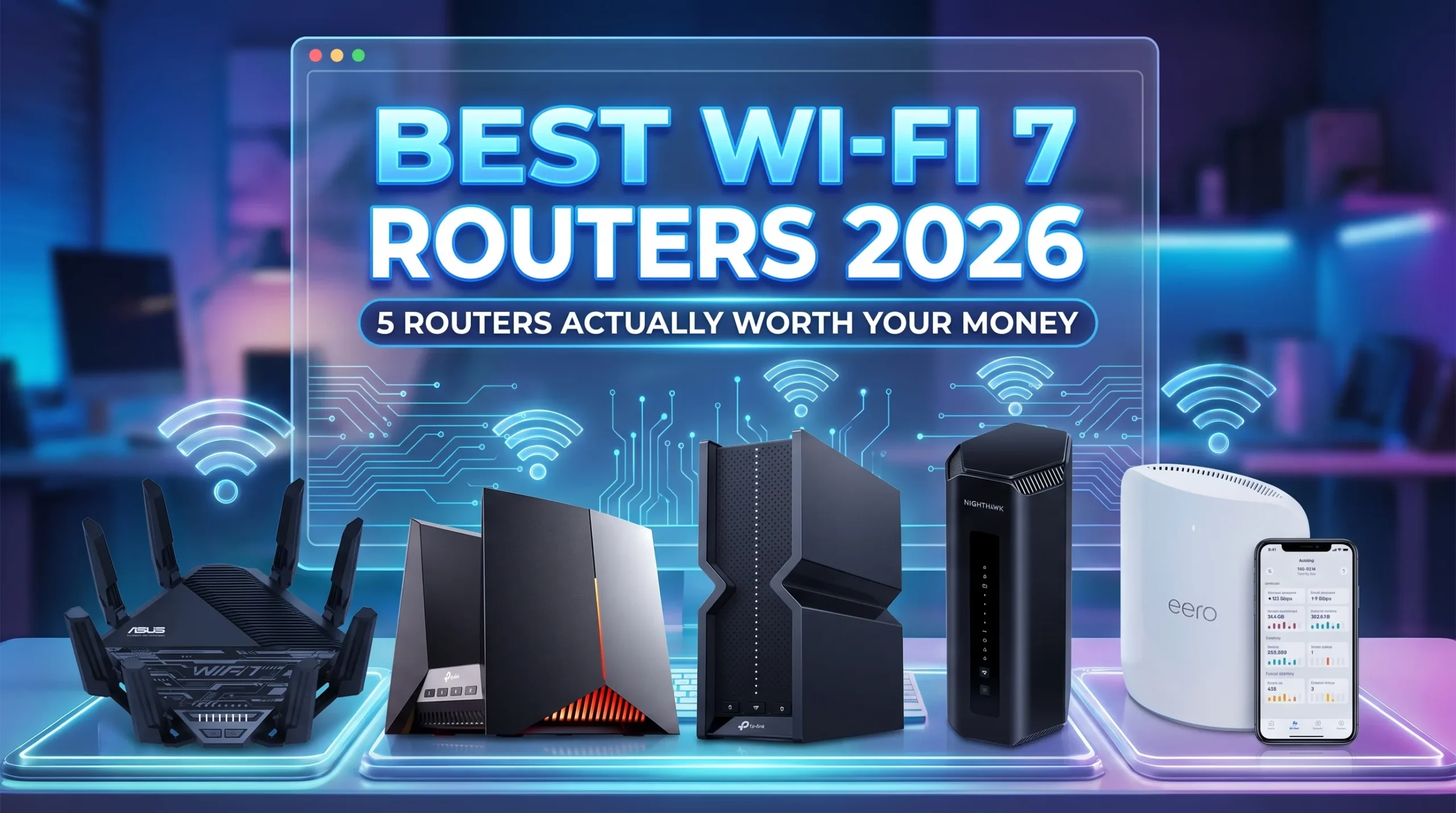
Best Wi-Fi 7 Routers in 2026: 5 Routers Actually Worth Your Money

Updated July 17, 2026 at 5:05 PM
Best Wi-Fi 7 Routers in 2026: 5 Routers Actually Worth Your Money

Wi-Fi 7 has finally crossed the line from expensive early-adopter toy to sensible upgrade. Prices have dropped significantly since launch, device support is expanding fast, and the standard’s core tricks — Multi-Link Operation, 320 MHz channels, and 4K-QAM — now deliver measurable real-world gains in speed and latency. If you bought a flagship phone or laptop in the past year and a half, there’s a good chance it already has a Wi-Fi 7 radio waiting for a router that can keep up.

This guide is for anyone shopping for a Wi-Fi 7 router in 2026 — whether that’s a $199 starter box or a $600 whole-home mesh system. We narrowed the field to five routers based on independent lab testing, long-term reliability reports, real user feedback from forums and retail reviews, and current US street pricing. Every pick here earns its spot for a specific type of buyer, and we’ll tell you honestly where each one falls short.

Our Picks

Top Pick · The flagship that finally makes financial sense

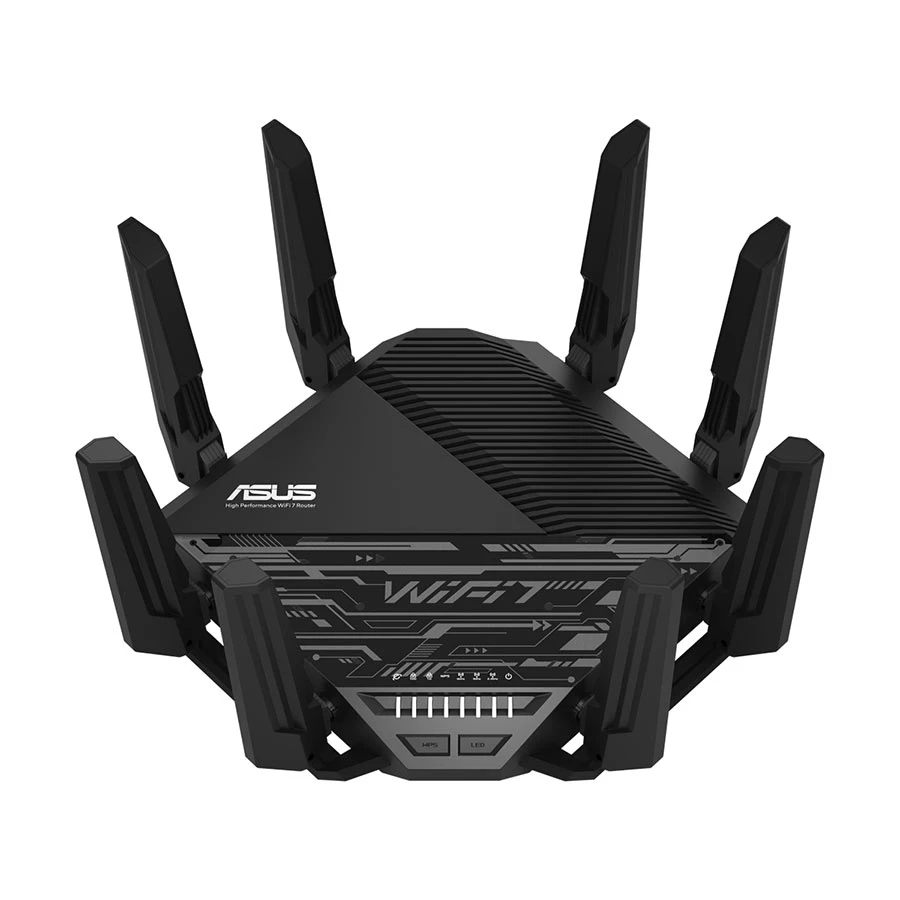
Asus RT-BE96U

Asus RT-BE96U

Editor’s Choice

Exceptional

Our Rating

Price

$579.99

The RT-BE96U has been near the top of Wi-Fi 7 rankings since it launched, but the reason it wins Best Overall in 2026 is simple: the price finally caught up with reality. It delivers blazing-fast Wi-Fi 7 speeds and excellent range, and its biggest draw now is a significantly lower price that makes this powerful router accessible to far more users. Street prices swing anywhere from around $350 to $500 depending on the sale — a massive drop from where it debuted. 

Performance is where this thing earns its keep. Even at 75 feet away, testers recorded speeds over 400 Mbps, and it handled walls impressively, maintaining 1.8 Gbps through a wall at 25 feet. That wall-penetration figure matters more than peak numbers in real homes — most routers look great at 10 feet and fall apart the moment concrete gets involved. The eight adjustable antennas let you actually aim the signal, which sounds gimmicky until you live in a long, narrow apartment.

The software is the quiet advantage. It works as a VPN client or server and includes subscription-free security software — a genuine differentiator when Netgear charges $100 a year for the same protection. The main knock: it's enormous. This is a spider-shaped statement piece, not something that disappears on a shelf.

Specifications

Wi-Fi spec
BE19000 tri-band (2.4/5/6 GHz)
Ports
2× 10 Gbps, plus gigabit LAN and 2× USB 3.0
Antennas
8, adjustable

What we like

  • Top-tier throughput at close and mid range
  • Excellent wall penetration for a standalone router
  • Free security suite and parental controls — no subscription
  • Built-in VPN server and client support
  • Two 10 Gbps ports for multi-gig fiber plans
  • Price has dropped dramatically since launch

What we don't

  • Physically huge and hard to place discreetly
  • AsusWRT interface has a learning curve for casual users
  • Overkill if your internet plan is under 500 Mbps

The cheapest way to do Wi-Fi 7 properly

TP-Link Archer BE550

TP-Link Archer BE550

Editor’s Choice

Exceptional

Our Rating

Price

$149.99

Plenty of "budget Wi-Fi 7" routers cheat by dropping the 6 GHz band, which strips out most of what makes Wi-Fi 7 worthwhile. The Archer BE550 doesn't. It's a true tri-band router with 320 MHz channels and MLO, and it offers strong throughput at an affordable, frequently discounted price of $199.99 at Amazon. At that money, nothing else in this list comes close on value.

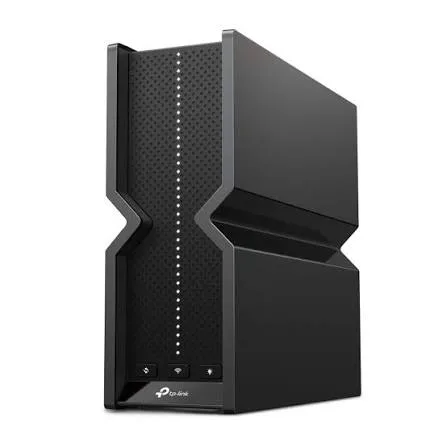
The port situation is genuinely absurd for the price. It has five 2.5 Gbps Ethernet ports — a rarity in its price class — handling high-bandwidth tasks like NAS streaming and gaming without bottlenecks, while many peers are stuck at gigabit speeds. If you're on a 1–2 gig fiber plan and want every wired device running at full tilt, this is the cheapest way there. TP-Link's HomeShield also includes network security scans, basic QoS, and URL blocking for free — features that competitors like eero lock behind subscriptions. 

The honest caveats: total bandwidth caps around 2.5 Gbps since there's no 10 GbE port, and some users report stability concerns under very heavy device loads, plus a bulky design with no wall-mounting option. For a typical household with a gigabit plan, none of that will matter.

Specifications

Wi-Fi spec
BE9300 tri-band (2.4/5/6 GHz)
Ports
5× 2.5 Gbps (1 WAN + 4 LAN), USB 3.0
Typical price
~$199

What we like

  • Full tri-band Wi-Fi 7 with 6 GHz at a budget price
  • Five 2.5 Gbps ports — unheard of in this class
  • Free HomeShield security basics
  • EasyMesh support means you can add nodes later
  • Simple, fast setup

What we don't

  • No 10 GbE port, so wired ceiling is 2.5 Gbps
  • Big, plasticky design that can't be wall-mounted
  • Advanced parental controls require a paid tier

Gaming performance without the gaming-tax markup

TP-Link Archer GE800

TP-Link Archer GE800

Editor’s Choice

Exceptional

Our Rating

Price

$499.99

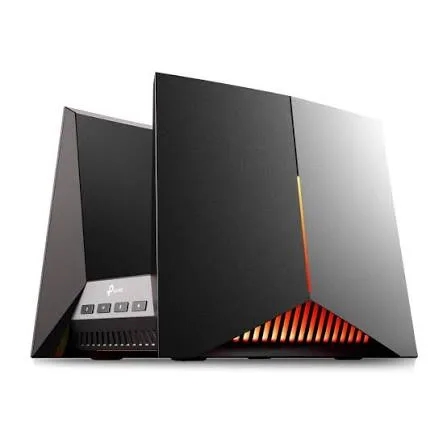
Gaming routers usually mean paying double for RGB lighting and a scary shape. The GE800 has both of those, but it also has the hardware to back them up. It carries a $599 MSRP with street prices regularly well under $500, and for that you get a tri-band Wi-Fi 7 router with two 10 GbE ports, gaming optimizations, EasyMesh expansion support, and RGB lighting. We've seen it dip to around $399 during sales events, which makes it the performance bargain of the premium tier.

Raw speed is elite. Testing showed 2,730 Mbps at close range, falling to 1,980 Mbps at 25 feet — numbers that outrun routers costing hundreds more. Where it separates from generalist flagships is latency consistency: in comparative testing, its Game Accelerator was more effective at reducing ping variance than the Netgear RS700S's DumaOS. For competitive shooters, ping stability beats peak bandwidth every time. 

It's not flawless. The cooling fan runs constantly and produces a noticeable hum, which can be a nuisance in a quiet room — worth knowing if your router lives in your bedroom. And the aesthetic is divisive; this looks like a prop from a mech anime.

Specifications

Wi-Fi spec
BE19000 tri-band (2.4/5/6 GHz)
Ports
2× 10 GbE plus multiple 2.5 Gbps LAN
Typical price
$450–$500 (MSRP $599)

What we like

  • Dual 10 GbE ports at this price is exceptional
  • Class-leading throughput on all three bands
  • Measurably better ping stability for gaming
  • Excellent, genuinely usable gaming dashboard
  • Frequently discounted well below MSRP

What we don't

  • Always-on fan produces audible hum
  • Some software extras sit behind a paywall
  • Aggressive design won't suit every living room

The mid-range distance champion with a subscription problem

Netgear Nighthawk RS700S

Netgear Nighthawk RS700S

Excellent

Our Rating

Price

$549.99

The RS700S is one of the fastest standalone routers ever tested, and its party trick is holding speed where competitors sag. Its real worth is throughput at mid-range distances where other high-performance routers bog down — enough to fill a modest-sized home from a single unit. Testing recorded 691 Mbps at 50 feet, where many competitors show significant drop-offs, alongside 1.7 Gbps close-range performance. If you want one router — no mesh nodes — covering a larger house, this is the strongest case.

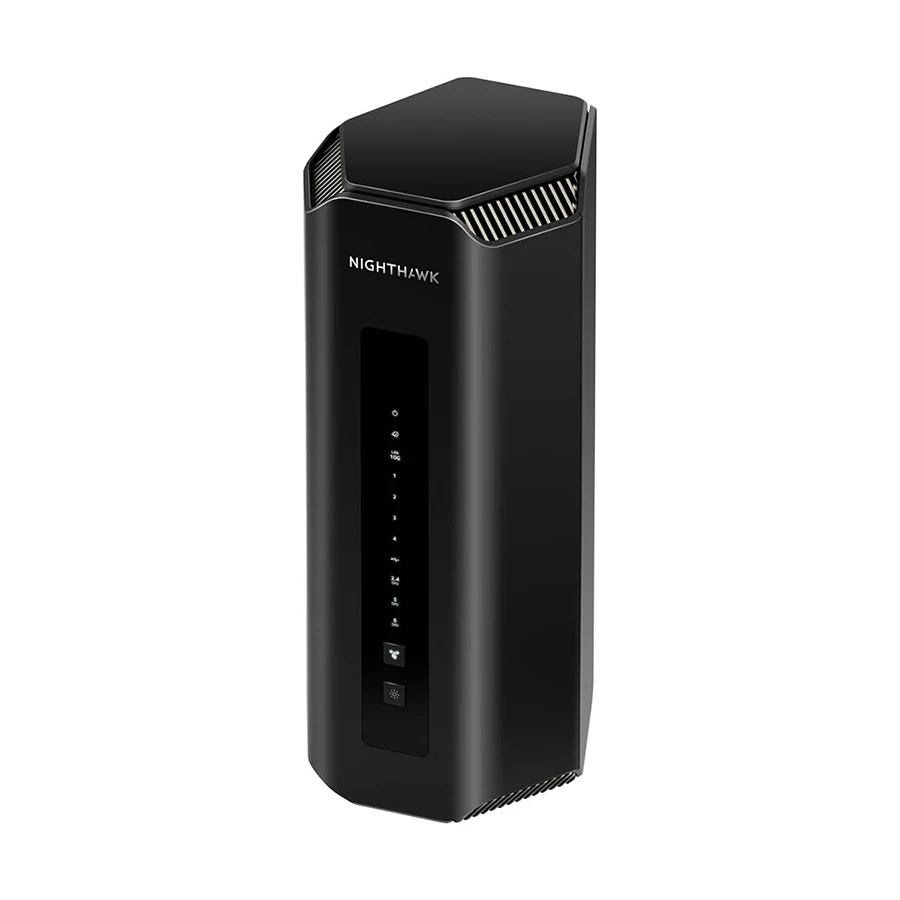
Reliability is the other pillar. One long-term reviewer logged six months with zero unscheduled reboots and excellent heat handling from the fanless chassis — and it's dead silent, unlike the GE800. The tower design looks more like a smart speaker than networking gear, which your living room will appreciate.

The problem is Netgear's business model. The security features require a NETGEAR Armor subscription at $99.99 per year (free the first year), and parental controls need another paid service — features Asus and TP-Link give away. At roughly $600, that recurring cost stings, and it has only one 10 GbE port versus two on rivals.

Specifications

Wi-Fi spec
BE19000 tri-band (2.4/5/6 GHz)
Ports
10 GbE WAN + 10 GbE LAN aggregate options, multiple gigabit LAN
Typical price
~$600

What we like

  • Best-in-class speeds at 40–60 foot distances
  • Rock-solid stability over months of use
  • Completely silent, fanless cooling
  • Clean, unobtrusive tower design
  • Dead-simple setup via the Nighthawk app

What we don't

  • Security and parental controls cost ~$100/year extra
  • Pricier than rivals with comparable performance
  • Only one 10 GbE LAN port

Effortless whole-home coverage — if you can stomach the price

Amazon eero Max 7

Amazon eero Max 7

Excellent

Our Rating

Price

$599.99

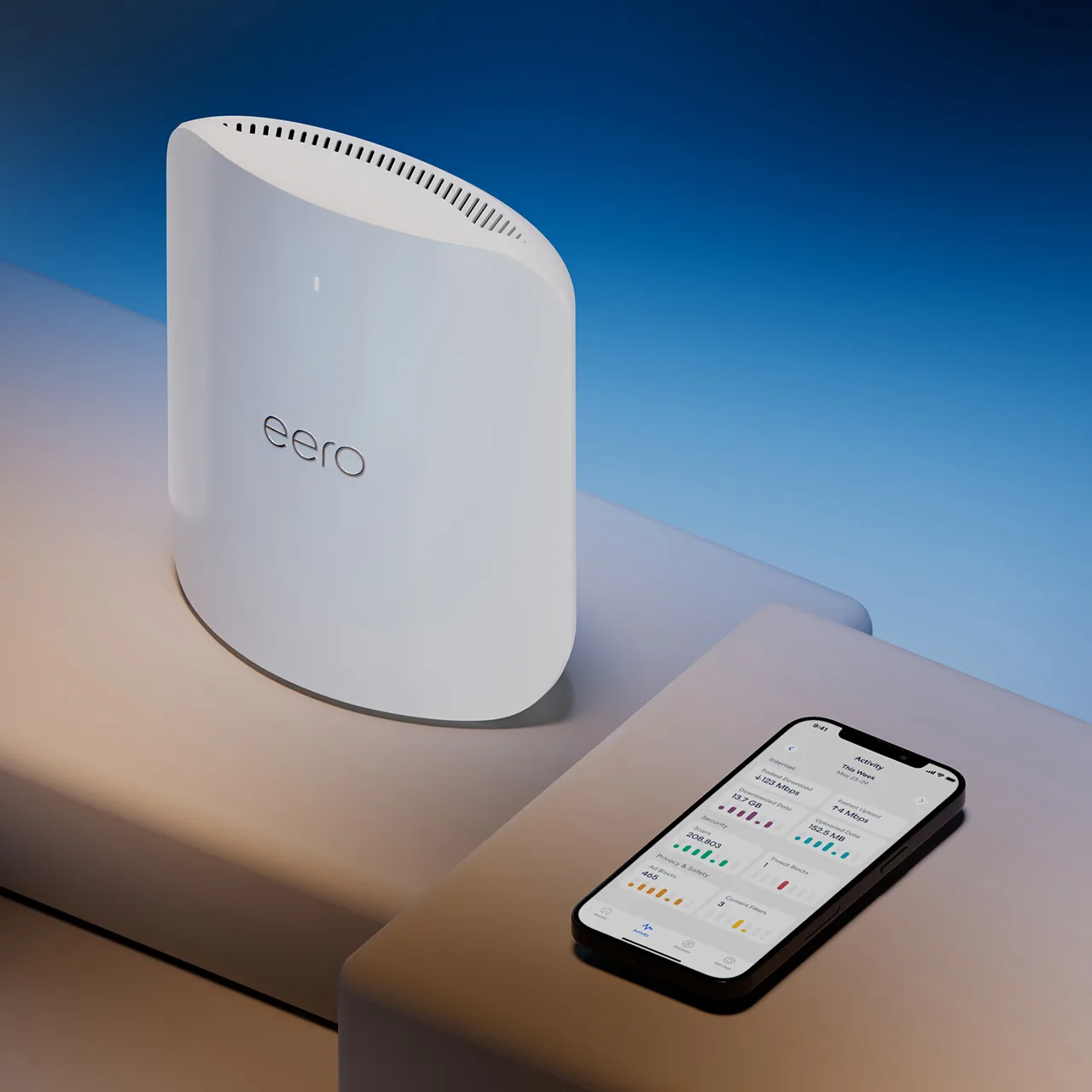
The eero Max 7 is the pick for people who never want to think about their network again. Setup takes minutes in the app, updates happen automatically, and multi-node roaming is as smooth as mesh gets. The hardware is legitimately premium: each node packs two 10GbE ports, two 2.5GbE ports, Matter controller support, Thread border-router support, and up to 2,500 sq ft of coverage per node. If your home runs on smart devices, no other system on this list has a cleaner native smart-home story. 

Speed is there too when conditions cooperate — this is a tri-band system that can genuinely saturate multi-gig plans, especially with wired backhaul between nodes. But the value math is rough. Current pricing sits at $599.99 for one node, $1,149.99 for a two-pack, and $1,699.99 for a three-pack, and its most significant drawbacks are that price and paywalled features — an eero Plus subscription is needed to unlock the full parental controls and security suite. 

You're also trading control for convenience: eero offers almost no advanced configuration. Tinkerers should look at Asus. Everyone else's parents should get an eero.

Specifications

Wi-Fi spec
BE20800 tri-band mesh (2.4/5/6 GHz)
Ports per node
2× 10 GbE + 2× 2.5 GbE
Coverage
up to 2,500 sq ft per node
Typical price
$599.99 (1-pack) / $1,149.99 (2-pack) / $1,699.99 (3-pack)

What we like

  • Easiest setup and maintenance of any system here
  • Excellent multi-gig port selection on every node
  • Best-in-class smart home integration
  • Seamless roaming across a large home
  • Quietly reliable with automatic updates

What we don't

  • Very expensive per node
  • Key security and parental features require eero Plus subscription
  • Minimal advanced settings for power users
  • Weak value versus cheaper mesh rivals at similar performance

Side by Side

Asus RT-BE96U

Top Pick

Asus RT-BE96U

TP-Link Archer BE550

TP-Link Archer BE550

TP-Link Archer GE800

TP-Link Archer GE800

Netgear Nighthawk RS700S

Netgear Nighthawk RS700S

Amazon eero Max 7

Amazon eero Max 7

Best forThe flagship that finally makes financial senseThe cheapest way to do Wi-Fi 7 properlyGaming performance without the gaming-tax markupThe mid-range distance champion with a subscription problemEffortless whole-home coverage — if you can stomach the price
Price$579.99$149.99$499.99$549.99$599.99
Rating
4.7Exceptional
4.6Exceptional
4.5Exceptional
4.2Excellent
4.0Excellent
Wi-Fi specBE19000 tri-band (2.4/5/6 GHz)BE9300 tri-band (2.4/5/6 GHz)BE19000 tri-band (2.4/5/6 GHz)BE19000 tri-band (2.4/5/6 GHz)BE20800 tri-band mesh (2.4/5/6 GHz)
Ports2× 10 Gbps, plus gigabit LAN and 2× USB 3.05× 2.5 Gbps (1 WAN + 4 LAN), USB 3.02× 10 GbE plus multiple 2.5 Gbps LAN10 GbE WAN + 10 GbE LAN aggregate options, multiple gigabit LAN
Antennas8, adjustable
Typical price~$199$450–$500 (MSRP $599)~$600$599.99 (1-pack) / $1,149.99 (2-pack) / $1,699.99 (3-pack)
Ports per node2× 10 GbE + 2× 2.5 GbE
Coverageup to 2,500 sq ft per node
ReviewRead our takeRead our takeRead our takeRead our takeRead our take
Check price →Check price →Check price →Check price →Check price →

Which Wi-Fi 7 Router Should You Buy?

Buy the Asus RT-BE96U if you want the best all-around package. It's fast everywhere, punches through walls, and the free security software saves you $100 a year versus Netgear. For most people with gigabit-or-faster internet, this is the answer.

Buy the TP-Link Archer BE550 if you're spending under $250. You keep the 6 GHz band, MLO, and five multi-gig ports — the full Wi-Fi 7 experience minus the 10 GbE ceiling. It's the smartest first Wi-Fi 7 router for apartments and mid-size homes on gigabit plans.

Buy the TP-Link Archer GE800 if gaming latency is your priority. Dual 10 GbE ports and the most effective ping-stabilization software in the group make it the competitive gamer's pick, especially when it drops below $450.

Buy the Netgear Nighthawk RS700S if you have a larger home but hate the idea of mesh nodes. Its mid-range throughput is unmatched, and it's silent and boringly reliable — just budget for the Armor subscription or skip it.

Buy the eero Max 7 if you have a big multi-floor home, a house full of smart devices, and zero interest in network administration. It's the most expensive path here, but it's also the one that never asks anything of you.

Final Verdict

The Asus RT-BE96U is our overall winner for 2026. It was already one of the fastest standalone Wi-Fi 7 routers ever benchmarked; now that street prices have fallen so far from launch, it also became one of the best values. Elite speed, real wall penetration, two 10 GbE ports, and a security suite with no recurring fees — no other router in this class checks every one of those boxes.

The runner-up is the TP-Link Archer BE550. It wins by a different logic: at around $199, it makes true tri-band Wi-Fi 7 accessible to almost anyone, and its five 2.5 Gbps ports embarrass routers at twice the price. If the RT-BE96U is the best router here, the BE550 is the best decision — the one most readers should actually put in their cart.
The Bottom Line

Asus RT-BE96U

Exceptional

$579.99

The Current Tribune independently researches every product we recommend; advertisers never influence our verdicts. How we review