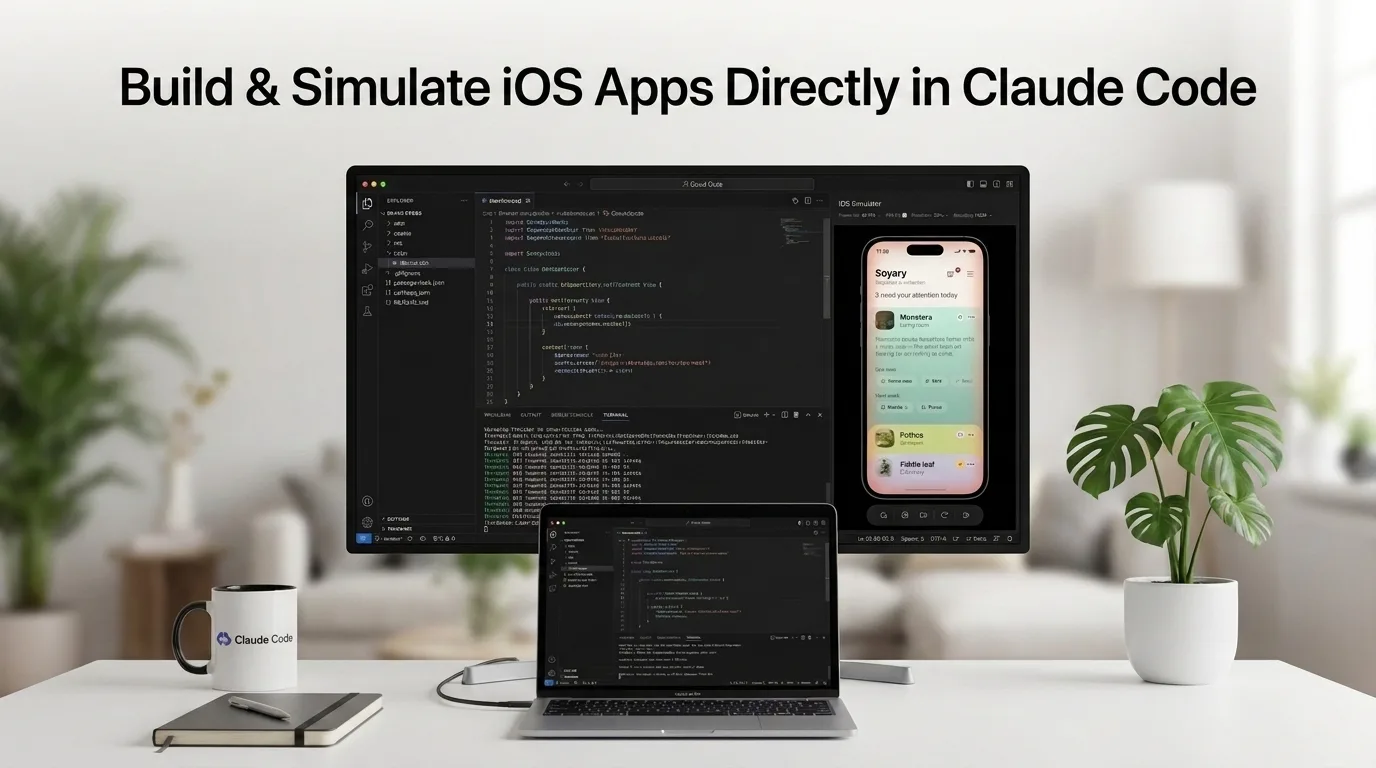
For years, the loop of iOS development has gone something like this: write the code, hit build, wait, watch the Simulator boot, tap through six screens to reach the thing you just changed, notice it’s still broken, go back to the editor. Anthropic just cut a chunk of that loop out. Claude Code Desktop now opens Apple’s iOS Simulator in a panel beside your conversation, launches your app in it, and taps through the interface itself to check whether the change it made actually did what you asked.
The feature landed July 21 as a public beta, and it’s the kind of update that sounds small on a changelog line but changes the texture of a working day. Claude isn’t just writing Swift anymore. It’s running the result and looking at it.
What Actually Ships
The centerpiece is a simulator pane inside Claude Code Desktop. You don’t enable it, and there’s no slash command to memorize. Start a session with an iOS project as the folder, ask Claude to build and run the app, and the pane appears on its own, streaming the simulated device screen live.
From there,e Claude installs the build, launches it, navigates the UI, and reads what’s on screen to verify its own work. If you phrase a request around what the app looks like — “does the new settings screen render correctly?” — Claude will boot a simulator before it even starts editing. Ask it to check a fix after the fact, and the pane reopens on relaunch.
You can also point it at hardware. Naming a device in your prompt — the iPhone SE, say — tells Claude which simulator to target when it builds and launches. Any simulator Claude boots also shows up in Apple’s own Simulator app, and it can install onto a device you’ve already got running.
The Permissions Trick That Makes This Different
Claude has been able to interact with on-screen software for a while through computer use, which grabs macOS Accessibility and Screen Recording permissions and drives your Mac the way a person with a mouse would. That approach works, but it’s invasive — it takes over your screen, and it means handing an AI agent broad control of your desktop.
The simulator pane sidesteps that entirely. It talks to Apple’s simulator tooling directly rather than pretending to be a user at a keyboard. No Accessibility permission. No Screen Recording permission. Your other windows stay where they are, and Claude never hides what you’re doing. That’s a meaningful architectural distinction, and it’s the reason this feels less like a demo and more like something you’d leave running.
The CLI doesn’t get the same treatment. Run Claude Code from the terminal, and it still reaches the simulator through computer use, screen control, and all. The pane is a desktop-app exclusive because the desktop app is what bundles the plumbing.
Requirements and Availability
| Item | Detail |
|---|---|
| Platform | macOS only |
| App | Claude Code Desktop, v1.24012.0 or later |
| Dependency | Xcode with the iOS platform installed |
| Plans | Pro, Max, Team |
| Not available on | Enterprise |
| Session types | Local only — no cloud, no SSH |
| Status | Public beta |
| Simulator panes | Up to four per session |
The cloud and SSH exclusion is the practical one to watch. In those modes, Claude runs on a machine that has no line of sight to the simulators on your Mac, so the pane isn’t there. If your workflow leans on remote sessions for long-running tasks, this is a local-only tool.
You’re Not Locked Out While It Works
The pane isn’t a viewer you watch passively. You can click and drag to tap and swipe, and Apple’s hardware shortcuts carry over — Cmd+Shift+H for Home, Cmd+L to lock, Cmd and the arrow keys for volume and rotation. Cmd+S saves a screenshot, Cmd+R starts a screen recording, and both land on your desktop.
There’s a stream-quality row under the device name for frame rate, resolution, and encoding, with a toggle between H.264 and JPEG. If the pane is taxing your machine, dial it down; those settings affect the video feed, not the app.
The one wrinkle is that you and Claude are steering the same device. Your taps change the state Claude sees, and vice versa. Anthropic’s answer is a “Claude is using this device” badge that appears above the screen while the agent is driving — the etiquette is to wait for it to clear before you start prodding, or your input becomes part of what Claude is trying to evaluate.
Session Hygiene
Each session owns its simulators, so parallel sessions never step on each other. Switch conversations in the sidebar and the simulator view switches with it, picking up where it left off. Claude Code shuts down the devices it booted when you quit the app, archive the session, or ten minutes after you detach a device. Simulators you boot yourself are left alone.
The Consent Model, and One Real Caveat
Claude asks before it controls a device, and that consent is granted once per device rather than every session. It covers both control and screenshots.
Here’s the part worth reading twice: screenshots of tSimulatortor are sent to Anthropic and retained under your normal conversation settings. Anthropic’s own guidance is not to sign into real accounts on any device Claude touches. For anyone testing authentication flows, payment sheets, or anything involving production credentials, that’s a hard constraint, not an optional note. Use test accounts.
Two actions escape the one-time consent and instead follow your session’s permission mode. Opening a URL on the device — deep links, or loading a page in the simulated Safari — is gated because a URL can move data off the device. Building is gated because xcodebuild executes your project’s build scripts on your actual Mac.
Teams that want none of this have options. A managed setting called disableMobileSimulatorTools kills Claude’s simulator tools while leaving the pane usable for human taps, and it can’t be overridden from inside the app. Policies requiring sessions to run in an isolated VM switch off the pane and the tools together.
What It Can’t Do
Simulators only. Claude cannot drive a physical iPhone or iPad, which rules out the entire category of bugs that only surface on real silicon — camera behavior, sensor input, thermal throttling, actual network conditions. If you need eyes on the hardware, please run the build from Xcode and describe what you see, or paste a screenshot into the conversation.
Android developers are watching closely. References to emulator support have turned up in the app, though nothing has shipped and Anthropic hasn’t put a date on it.
The Reaction Has Been Split
The response from developers has broken along a predictable fault line. One camp sees an obvious win for test automation — a way to hand off the tedious verification passes that nobody enjoys doing manually. The other camp shrugs and points out that Xcode has run simulators since forever, and that Apple’s IDE already gained native Claude agent support earlier this year, complete with visual verification through Previews.
Both readings have merit, but they’re measuring different things. Xcode running a simulator is a tool you operate. This is a tool that operates itself and reports back. The distinction only matters if you believe agentic coding is worth supervising rather than driving — and that’s precisely the bet Anthropic keeps doubling down on.
What This Means
The interesting thing about this release isn’t tSimulatortor. It’s the feedback loop. Coding agents have been reliably good at producing plausible code and unreliably good at knowing whether that code works. Giving Claude direct access to the running app closes a gap that no amount of model scaling was going to close on its own — the difference between “this compiles” and “this behaves.”
For solo developers and small teams shipping iOS apps, that’s a real productivity change, particularly for UI regressions and onboarding flows that are tedious to verify by hand. For anyone with compliance requirements or a habit of testing against live accounts, the screenshot retention policy deserves a serious read before you turn it on.
And it’s still a beta, on one platform, missing physical devices. But the direction is unmistakable. The agent that writes your app is now the agent that tests it, and the gap between those two jobs is where a lot of engineering time has been quietly disappearing.